


 9.00 -17.00

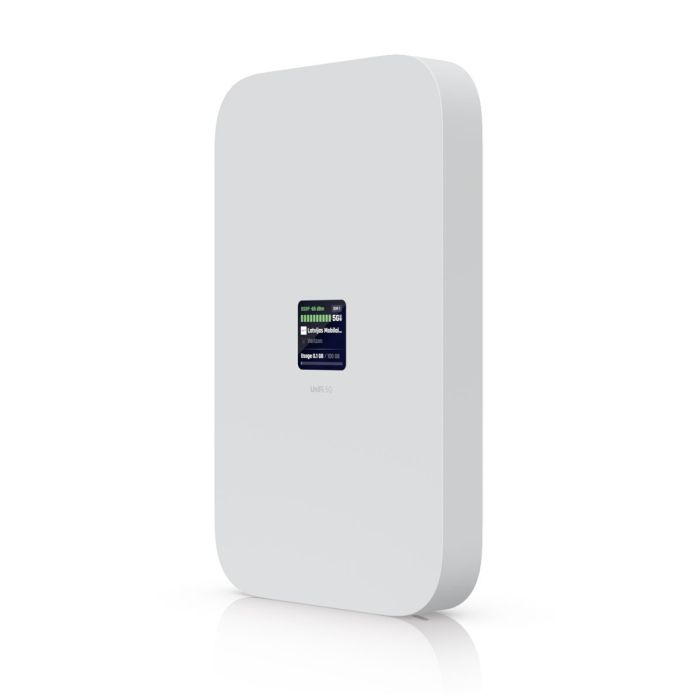
Ubiquiti UniFi 5G Max - U5G-Max
Ubiquiti UniFi 5G Max (U5G-Max) 5G NR modem with 4G LTE/3G support, 2.5 GbE, dual SIM (nanoSIM/eSIM), PoE power, 1.3" touch display and desktop, wall and window mounts for easy UniFi Network integration.
Accessories and add-ons:
Ubiquiti UniFi 5G Max (U5G-Max)
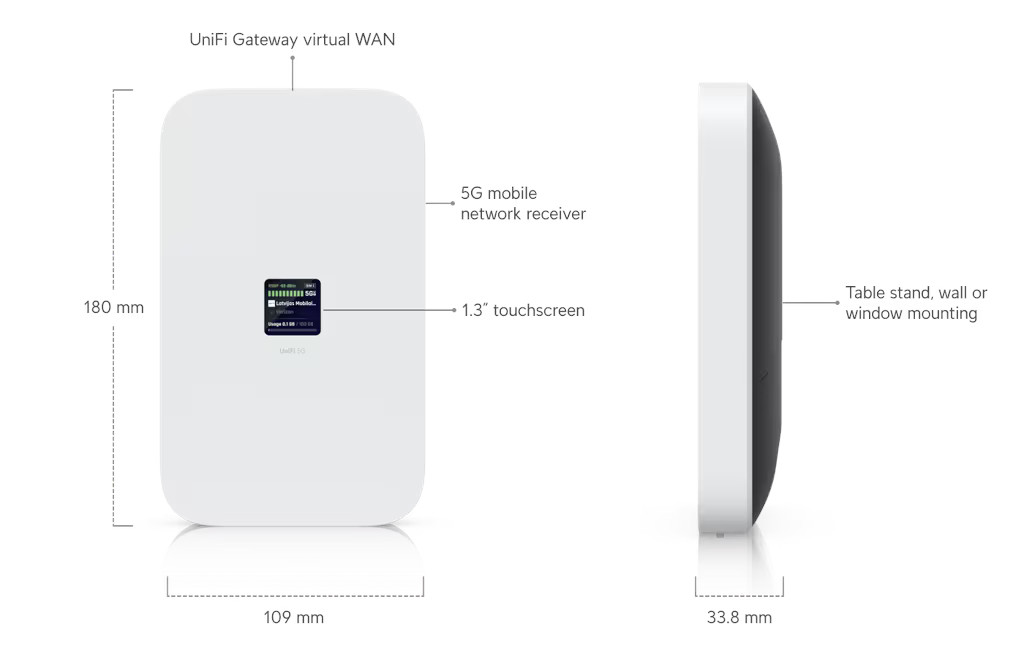
UniFi 5G Max (U5G-Max) is an indoor 5G cellular modem designed for integration with the UniFi ecosystem. The device operates as an Ethernet-based WAN interface and supports 5G NR, 4G LTE, and 3G UMTS connectivity. Management and configuration are handled through the UniFi Network application. The modem features a 1.3" touchscreen display, dual SIM capability (nanoSIM and nanoSIM or eSIM), and PoE power input. Included mounting accessories allow desktop, wall, or window installation.
Main features
- 5G NR cellular modem with fallback to 4G LTE and 3G UMTS
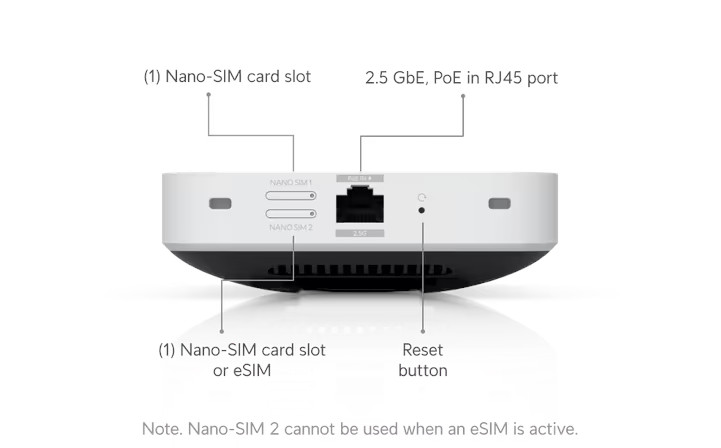
- (1) 2.5 GbE RJ45 Ethernet port
- Dual SIM support: (1) nanoSIM and (1) nanoSIM or eSIM
- PoE-powered device; maximum power consumption 14.5 W
- Integrated 1.3" touchscreen display
- Included desktop stand, wall mount, and window mount
Technical specifications
| Model | U5G-Max |
| Management interface | Ethernet |
| Application requirements | UniFi Network 10.0.162 or later |
Interfaces
| Network interface | (1) 2.5 GbE RJ45 port |
| SIM | (1) nanoSIM; (1) nanoSIM or eSIM |
| PoE | (1) PoE input |
| Display | 1.3" touchscreen |
| Buttons | (1) factory reset |
Cellular modem
| 5G NR bands | n1, n2, n3, n5, n7, n8, n12, n13, n14, n18, n20, n25, n26, n28, n29, n30, n38, n40, n41, n48, n66, n71, n75, n76, n77, n78, n79 |
| 5G NR max TX power | HPUE power class 2: 26 dBm |
| 4G LTE bands | B1, B2, B3, B4, B5, B7, B8, B12, B13, B14, B17, B18, B19, B20, B25, B26, B28, B29, B30, B32, B34, B38, B39, B40, B41, B42, B43, B46, B48, B66, B71 |
| 4G LTE max TX power | HPUE power class 2: 25 dBm |
| 3G UMTS bands | B1, B2, B4, B5, B8, B19 |
| Peak throughput – 5G NSA | Downlink 3.4 Gbps / Uplink 560 Mbps |
| Peak throughput – 5G SA | Downlink 1.8 Gbps / Uplink 650 Mbps |
| Peak throughput – 4G LTE | Downlink 1.6 Gbps / Uplink 210 Mbps |
| Antennas | (4) integrated cellular antennas |
Hardware specifications
| Dimensions | 180 × 109 × 33.8 mm |
| Weight | Device: 410 g; desktop stand: 215 g; wall mount: 7.6 g; window mount: 20 g |
| Enclosure materials | Polycarbonate, aluminum alloy |
| Mount materials | Polycarbonate, silicone |
| Impact resistance | IK04 |
| Operating temperature | 0 to 40 °C |
| Operating humidity | 5 to 95% non-condensing |
| NDAA compliant | Yes |
| Certifications | FCC, IC, CE, PTCRB, GCF, AT&T, T-Mobile, Verizon |
Power
| Power method | PoE |
| Maximum power consumption | 14.5 W |
U5G-Max – Frequently Asked Questions (FAQ)
UniFi 5G Max is a high-performance 5G modem designed to extend any UniFi Cloud Gateway or UniFi Gateway with cellular connectivity. It supports dual SIM (two physical SIM slots) or two eSIM profiles. This enables seamless failover for critical applications.
The power method depends on how the device is connected:
- For LAN connections: power the device using any PoE switch or a PoE adapter (not included).
- For WAN connections: power the device using a PoE adapter (not included). A direct connection to the gateway is required.
Yes. UniFi 5G Max supports eSIM, allowing connectivity to supported carriers without using a physical SIM card. Instructions for activating eSIM can be found in the UniFi 5G Max Setup Guide.
Important note for T-Mobile users: T-Mobile Home Internet SIM cards are not supported – a data-only plan is required.
Using a physical nano-SIM is recommended. If you choose to use eSIM, you must request a manual activation code. T-Mobile does not provide QR codes by default. You must ask a representative to manually activate the eSIM and email the QR code to you.
Incompatibility errors: T-Mobile systems may incorrectly flag UniFi 5G Max as incompatible due to a database issue. You should ask the representative to disregard the error and proceed with generating the activation code.
UniFi 5G Max supports dual SIM functionality in Dual SIM Single Standby (DSSS) mode, where only one SIM is active at a time:
Option 1: (1) external SIM (SIM1) + (1) embedded eSIM (SIM2)
Option 2: (2) external SIMs (SIM1 and SIM2)
This setup enables automatic failover to ensure reliable and uninterrupted connectivity.
No. UniFi 5G Max cannot operate independently. It must be adopted by a UniFi Cloud Gateway or UniFi Gateway.
UniFi 5G Max is an LTE/5G modem that connects to a UniFi Gateway through any LAN port and passes the carrier’s IP address directly to the gateway. The UMR series (UniFi Mobile Routers) are standalone LTE-to-Wi-Fi routers that allow direct device connections without a UniFi Gateway.
UniFi 5G Max should be selected when reliable, high-performance WAN connectivity and seamless backup internet are required for a UniFi network without changing IP addressing. A mobile router is more suitable for small deployments or low-traffic environments such as a small office, kiosk, or home setup where only a few devices require LTE internet via Wi-Fi.
In most installations, LAN adoption provides the greatest flexibility in device placement and wired connectivity while still supporting Teleport (remote VPN access) with most carriers. WAN adoption is recommended when the cellular carrier assigns a public IP address and remote access to services hosted behind the Cloud Gateway, such as a VPN server, is required.
To adopt via WAN, connect UniFi U5G Max using a PoE injector or a remapped PoE WAN port on the Cloud Gateway, then complete the adoption process in the UniFi Network application or the UniFi mobile app.
| Manufacturer SKU | U5G-Max |
|---|---|
| Manufacturer | Ubiquiti |
| PCS in collective packaging | 6 |
| GPSR contact | Ubiquiti International Holding B.V. Ekkersrijt 3102, 5692 CC Son en Breugel support@ui.com |

-
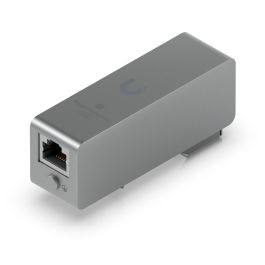
 UBIQUITI Ethernet Surge Protection - UACC-ETH-SP-DIN€29.75 €24.19
 -
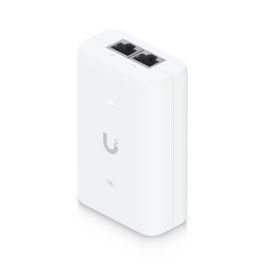
 Ubiquiti 2.5G PoE+ Adapter (30W) - (UACC-PoE+-2.5G)€19.29 €15.68


Please complete your information below to login.
Sign In
Create New Account