


 9.00 -17.00

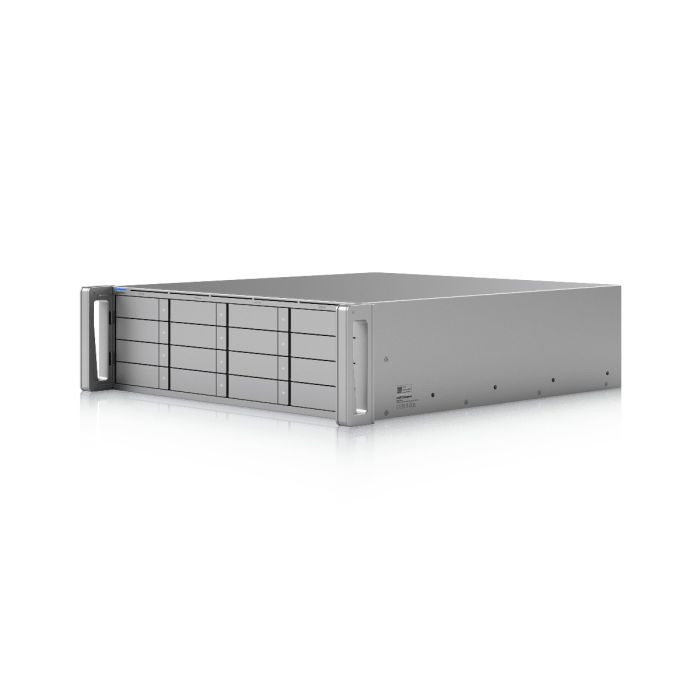
Ubiquiti Enterprise NAS - ZFS-based NAS server 16x 2.5"/3.5", 2x 25G SFP28 (ENAS)

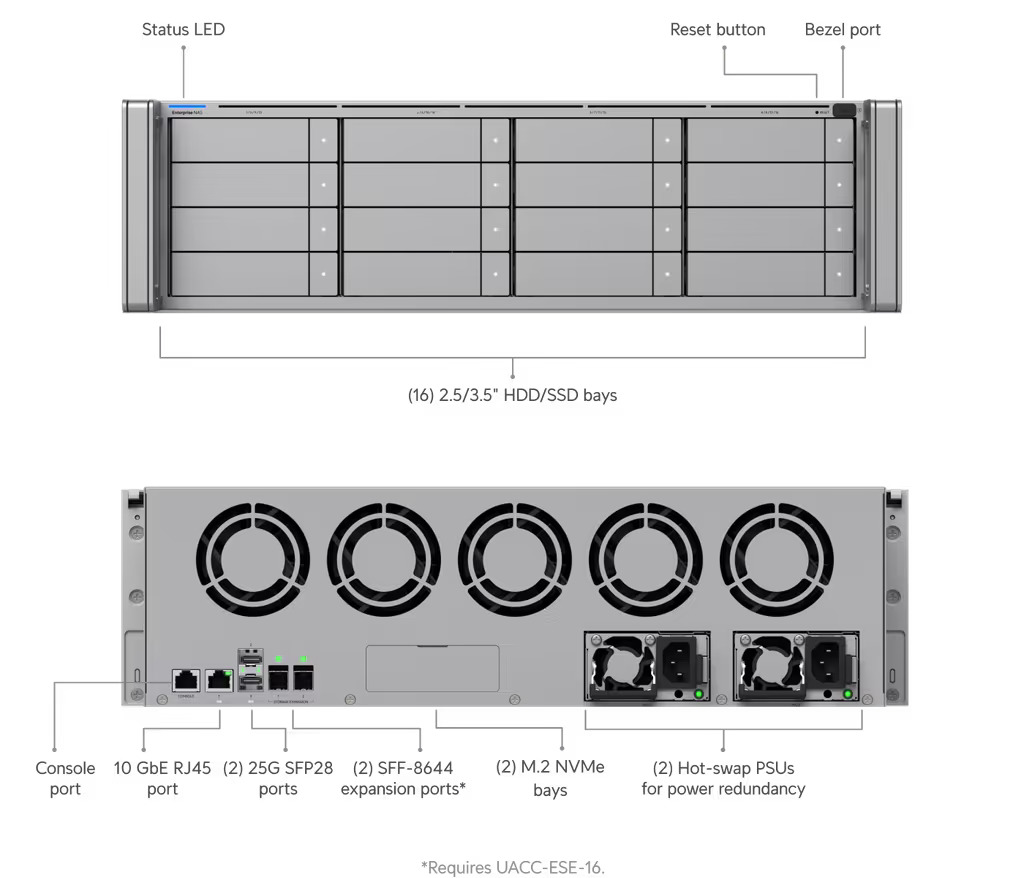
The Ubiquiti Enterprise NAS is a high-performance server based on the ZFS file system (supporting RAID-Z1/Z2/Z3, deduplication, and compression). It features 16 hot-swap 2.5"/3.5" slots, two M.2 NVMe slots for L2ARC cache, and two SFF-8644 ports for expansion. Connectivity is provided by two 25G SFP28 ports and one 10GbE RJ45 port, and stability is ensured by redundant CRPS 550W power supplies.
Accessories and add-ons:
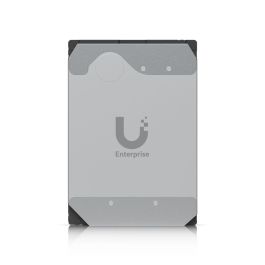
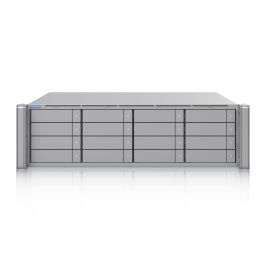
Ubiquiti Enterprise NAS – ZFS-Based NAS File Server (3U Rackmount)
Ubiquiti Enterprise NAS (ENAS) is a device designed for environments requiring performance, advanced data protection, and expandability. Housed in a 3U rackmount enclosure (weighing 16.1 kg and made of SGCC steel), the server is powered by an eight-core ARM N2 processor (2.4 GHz) with 64 GB of RAM.
The device offers sixteen 3.5" or 2.5" hard drive bays (with hot-swap support) and a 450W drive-only power budget. Data integrity protection is based on the advanced ZFS file system, supporting Mirror, RAID-Z1, RAID-Z2, and RAID-Z3 array configurations, as well as hot spare drive support. The server also offers enterprise-class system features such as inline data compression and deduplication, which optimize storage capacity and extend the lifespan of storage media.
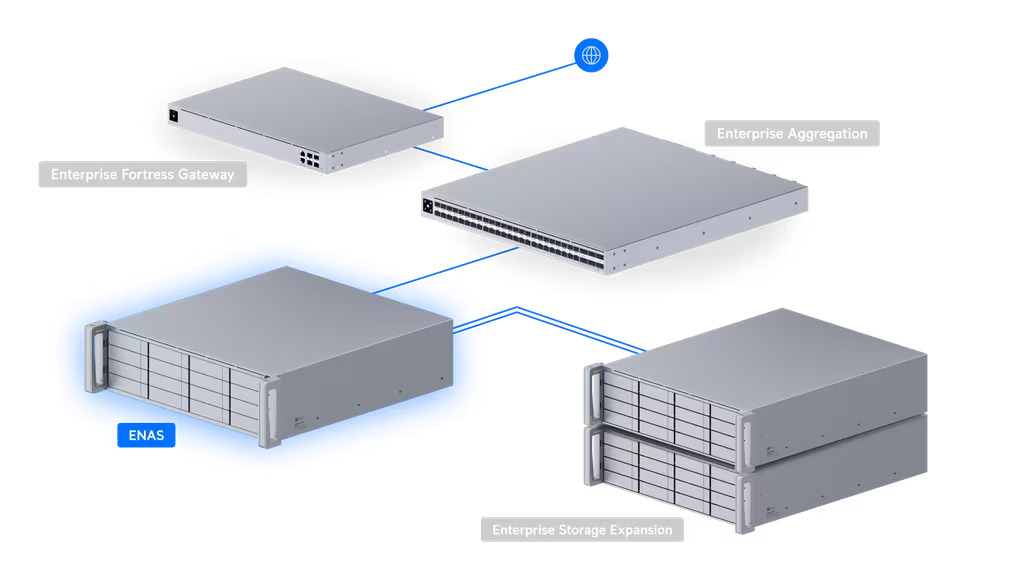
To meet the demands of high-volume network traffic, ENAS is equipped with powerful communication interfaces: two 25G SFP28 fiber optic ports and one 10GbE RJ45 port (supporting Multi-Gigabit: 10G/5G/2.5G/1G). High performance for high-frequency random operations (e.g., databases, virtualization) is guaranteed by two M.2 NVMe SSD slots (up to 8 TiB total), which act as an L2ARC read buffer (SSD Cache). If you need to increase the number of available disk slots, the server can easily be expanded with additional arrays thanks to the presence of two SFF-8644 (24G) expansion ports, dedicated to working with ENAS Expansion expansion units.
The server has a fully redundant (hot-swappable) power supply based on two independent 550W CRPS power supplies. The software natively supports SMB/CIFS and NFS file protocols, as well as block connectivity via the iSCSI protocol. The server seamlessly integrates with Apple Time Machine systems and offers extensive backup options (Snapshots, backup to other UniFi devices, external servers or clouds such as Amazon S3 or Google Drive). It also supports integration with directory services (AD/LDAP).
Key features:
-
Large storage capacity: 16 2.5"/3.5" SATA drive slots (hot-swap) and two Mini-SAS ports for connecting expansion units.
-
ZFS architecture: Advanced data protection and management with Mirror, RAID-Z1, RAID-Z2, RAID-Z3, compression, and deduplication support.
-
L2ARC Acceleration: Dual M.2 NVMe SSD slots supporting external cache up to 8 TiB.
-
25G Infrastructure: Dual 25G SFP28 fiber ports and one 10GbE RJ45 port for lightning-fast data transfers and iSCSI support.
-
Full hardware redundancy: Two hot-swappable 550W CRPS power supplies.
-
Server performance: Octa-core ARM N2 2.4 GHz processor, supported by 64 GB of RAM.
-
Account Management: Active Directory (AD) and LDAP integration, as well as disk encryption.
-
Remote Access: Seamless and secure remote file access for users with the UniFi Identity Endpoint app.
Technical Specifications
Device |
|
| Processor | Octa-core ARM N2 2.4 GHz |
| RAM | 64 GB |
| Disk Slots | (16) 2.5'' / 3.5" drive slots HDD / SSD Support |
| M.2 Slots | (2) M.2 NVMe SSD slots Maximum supported NVMe drive capacity: 8 TiB |
| Network Interface | (2) 25G SFP28 (25G/10G/1G) (1) 10 GbE RJ45 (10G/5G/2.5G/1G/100M) |
| Expansion Ports | (2) SFF-8644 (24G) Support for 2 expansion ports |
| Management and RF Interfaces | Ethernet Bluetooth 4.1 |
| LED Indicators | Ethernet SFP28 HDD System CRPS Expansion Port |
| Compliant with NDAA | Yes |
Software and Features |
|
| Supported File and Block Protocols | NFS SMB iSCSI |
| Supported RAID Types (on unifi.ui.com) | Mirror RAID-Z1 RAID-Z2 RAID-Z3 |
| Array and Disk Management | Multiple RAID Groups (Multiple) Hot Spare Support Personal and Shared Drive SSD Cache |
| Security and Backup | File Encryption Snapshots Time Machine Backup Backup to Remote UNAS Backup to CIFS/SMB Server |
| Cloud Backup | Google Drive OneDrive Dropbox Amazon S3 Backblaze B2 Wasabi |
| Access and Users | Share Links Client Application Support User Groups |
Power Supply |
|
| Power Supply Method and Modules | (2) AC Inputs Hot-swappable Power Modules |
| Power Supply | (2) Hot-swappable AC/DC Modules 550W |
| Power and Power Consumption | Maximum Power Consumption: 550W Maximum drive power budget: 450W |
| Power redundancy | Yes |
Other |
|
| Chassis form factor | Rackmount (3U) |
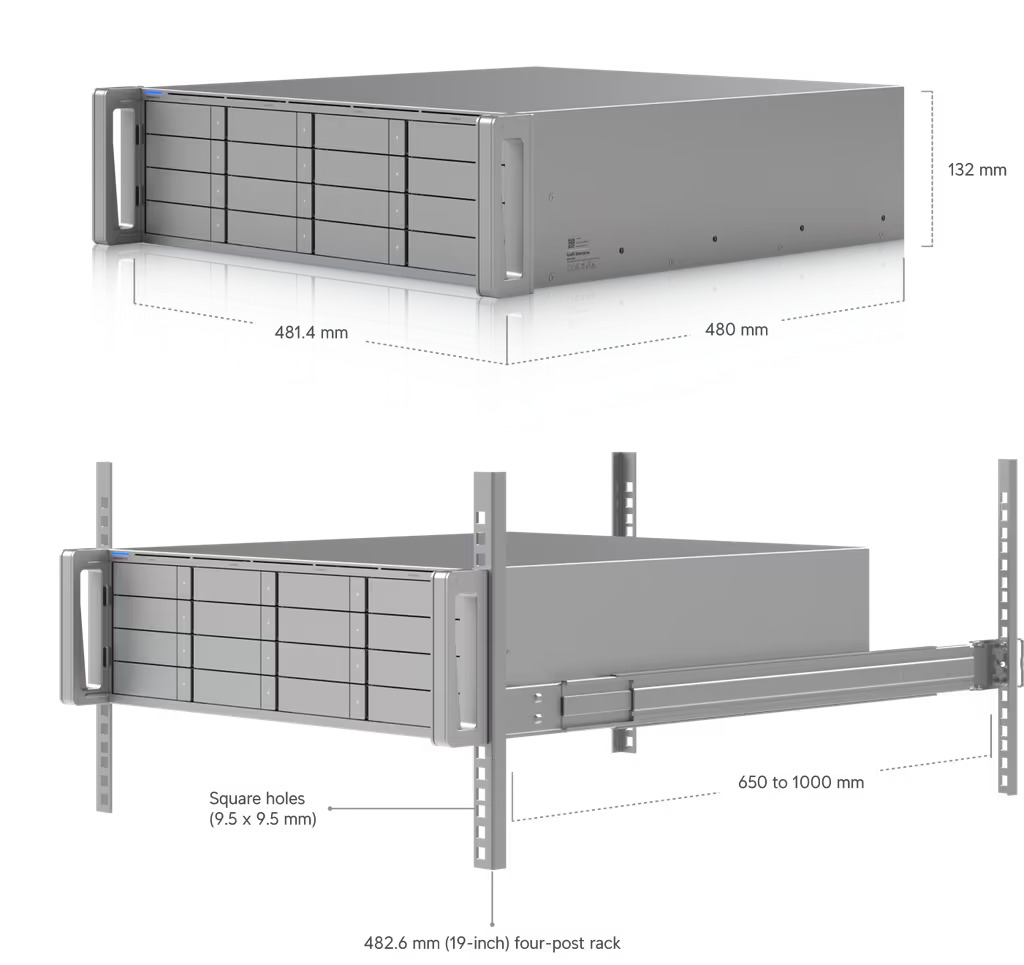
| Dimensions | 481.4 x 480 x 132 mm (19 x 18.9 x 5.2") |
| Weight | 16.1 kg (35.5 lb) |
| Materials | Casing: SGCC steel Mounting Hardware: SGCC steel |
| Front Panel (Faceplate) | 3U Bezel or optional 3U Bezel Lite |
| Supported Rack Depth | Rails support 600 mm (23.6") four-post racks with square holes (9.5 x 9.5 mm); post depths range from 600 mm to 1066 mm mm (23.6–42") |
| Operating Environment | Temperature: -5 to 40° C (23 to 104° F) Humidity: 5 to 95% (non-condensing) |
| Certifications | FCC CE IC |
Ubiquiti Enterprise NAS - Frequently Asked Questions (FAQ)
Because UNAS and Enterprise NAS use different file systems, direct restore during initial setup is not supported. Restoring the configuration only migrates users, groups, and system settings. You should back up your data separately and then copy it to your Enterprise NAS after you've finished setting up your device.
Yes. Enterprise NAS supports regular snapshots and backups to other UniFi storage devices via SMB/CIFS. It also offers integration with major cloud services such as:
- Google Drive
- OneDrive
- Dropbox
- Amazon S3
- Backblaze B2
- Wasabi
Yes. Enterprise NAS supports disk encryption to protect the privacy and security of your data.
Yes. The Enterprise NAS supports hot-swappable HDDs, allowing you to replace a failed drive without interrupting system operation.
Yes. You can access files on your Enterprise NAS through UniFi Site Manager or by connecting directly via SMB using the UniFi Drive app on your computer. For remote access, use the Identity Endpoint app (available for desktop and mobile), which offers free connection from anywhere without purchasing a license.
Enterprise NAS requires at least one drive to complete the initial setup. However, enabling ZFS-based data protection—such as Mirroring or RAID-Z—requires multiple drives.
Enterprise NAS supports advanced ZFS configurations: Mirror, RAID-Z1, RAID-Z2, and RAID-Z3 for data protection.
The Enterprise NAS supports SMB (including CIFS) and NFS protocols, allowing for simple and convenient file sharing across Windows, macOS, and Linux environments.
Yes. Enterprise NAS supports Time Machine integration for macOS backups.
Yes. Enterprise NASSupports AD/LDAP integration for user importing. Once imported, AD accounts can be used for SMB access. For LDAP users, file services credentials must be created so that users can manually map SMB resources or use Time Machine backups.
Enterprise NAS SSD caching (known as L2ARC) improves random read performance. Typical use cases include:
- Accessing files from multiple computers simultaneously in office environments
- Managing virtualization workloads
- Multimedia processing requiring frequent file reads
- Supporting high IOPS demands in database applications
The more simultaneous and frequent data access is, the better SSD caching performs. To ensure stable performance and prevent premature drive wear, sequential access is skipped by default, helping to extend the lifespan of SSDs.
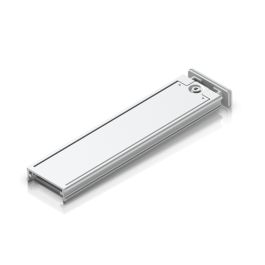
Yes. The Enterprise NAS has two external M.2 slots that support third-party M.2 NVMe SSDs. A dedicated SSD tray is required to install drives in M.2 slots.
Yes. The Enterprise NAS is equipped with two (2) Mini-SAS HD ports, specifically designed for storage expansion. This allows you to scale your deployment as storage demands grow.
Yes. As part of its ZFS file system implementation, Enterprise NAS supports inline compression and deduplication. This helps reduce physical storage footprint and extends drive life by eliminating duplicate data.
Deduplication is resource-intensive and can impact overall system performance. It is recommended to enable it only when storage efficiency is a top priority or when using all-SSD storage, where the performance impact is more manageable.
| Manufacturer SKU | ENAS |
|---|---|
| Manufacturer | Ubiquiti |
| GPSR contact | Ubiquiti International Holding B.V. Ekkersrijt 3102, 5692 CC Son en Breugel support@ui.com |
-
 Ubiquiti Enterprise Storage Expansion (UACC-ESE-16)€1,538.37 €1,250.71
 -
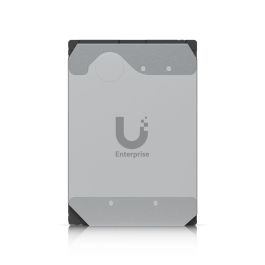
 Ubiquiti Enterprise 3.5" HDD, 16 TB - UACC-HDD-E-16TB€523.41 €425.54
 -
 Ubiquiti Enterprise 3.5" HDD, 24 TB - UACC-HDD-E-24TB€757.64 €615.97
 -
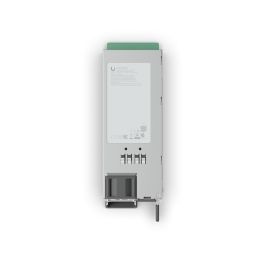
 Ubiquiti - Hot-Swappable Power Module 550W - UACC-PSU-12V-550W€163.85 €133.21
 -
 UBIQUITI M.2 SSD Tray (UACC-SSD-Tray)€18.92 €15.38
Please complete your information below to login.
Sign In
Create New Account