


 9.00 -17.00

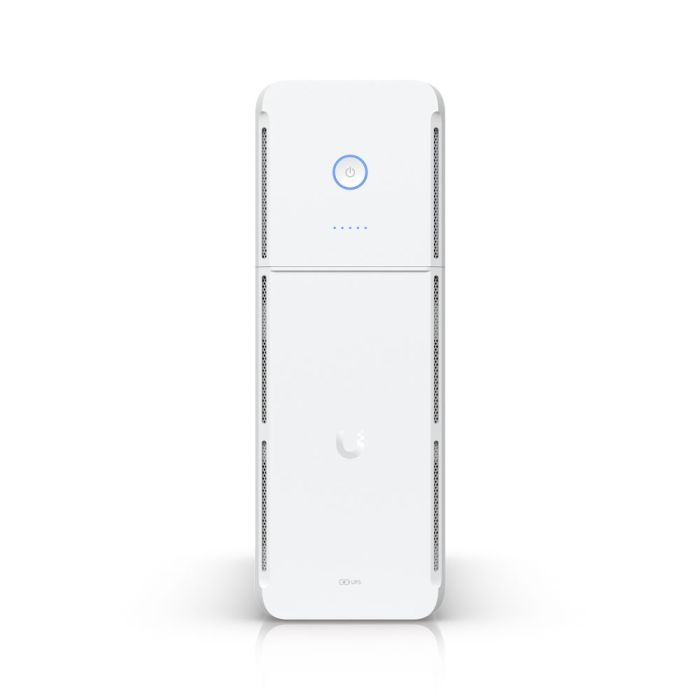
UBIQUITI UniFi UPS Tower - UPS-Tower
Ubiquiti UniFi UPS Tower - 1kVA power system
Accessories and add-ons:
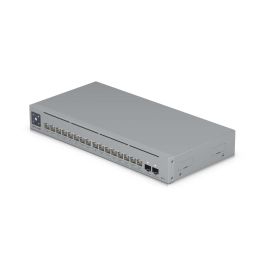

Ubiquiti UniFi UPS Tower - Managed 1000VA Uninterruptible Power Supply
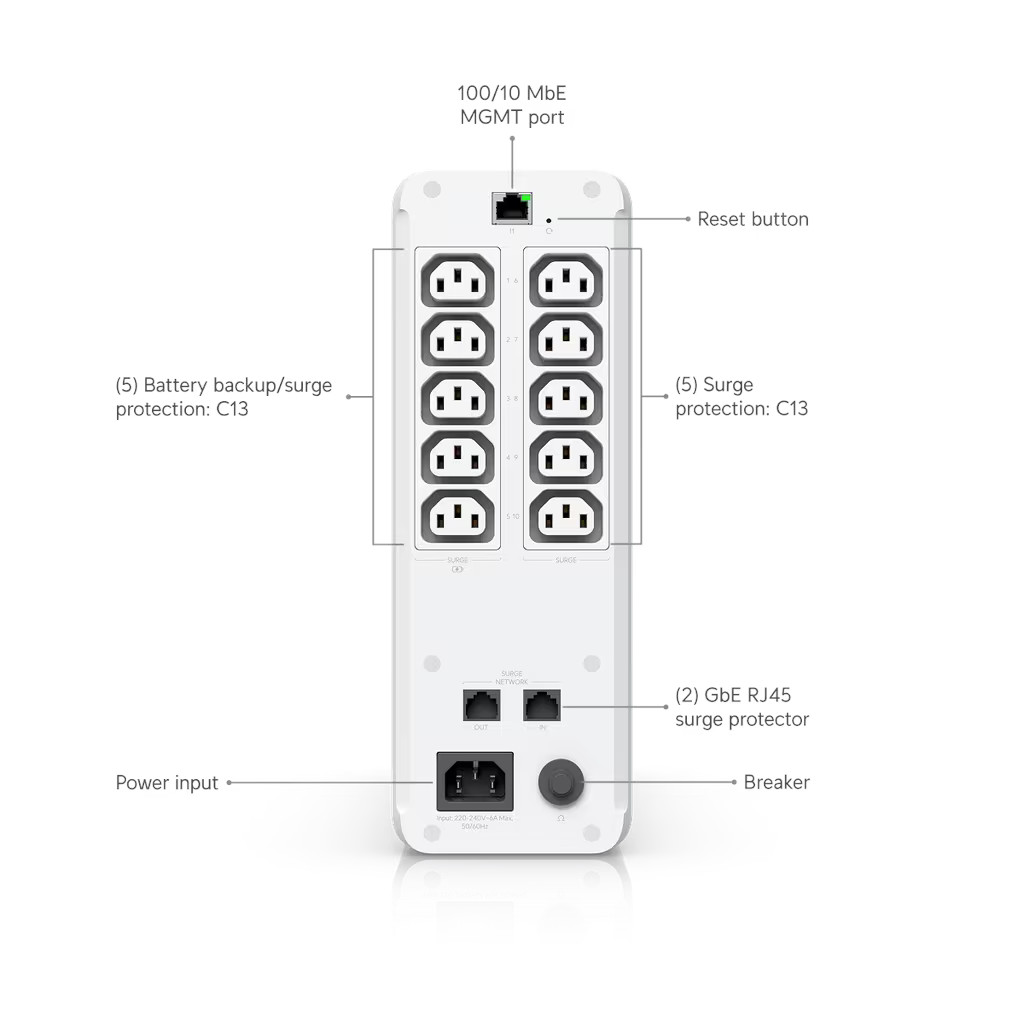
The UniFi UPS Tower (UPS -Tower) is a 1000VA/600W UPS equipped with a total of 10 IEC C13 output sockets, divided into two sections:
- 5 C13 outlets with backup power and surge protection.
- 5 C13 outlets with surge protection only.
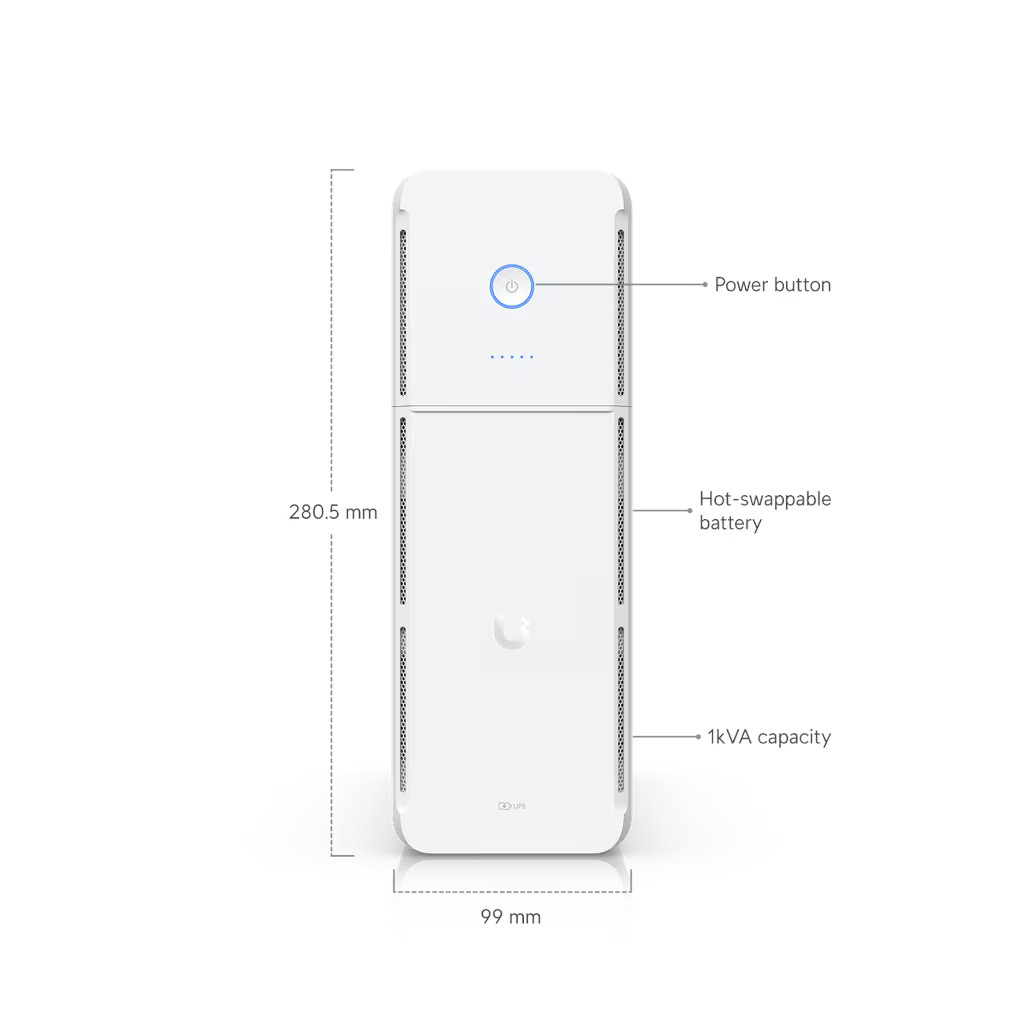
The unit is powered by a computer input socket (C14). It allows for hot-swap batteries (without interrupting the operation of connected devices).
A major advantage of the unit is its Graceful Shutdown feature, which supports the universal NUT (Network UPS Tools) protocol. This means that when the battery is low, the UPS sends a signal not only to Ubiquiti devices but also to any NUT-compliant equipment, forcing them to shut down safely before a complete power loss. Furthermore, the unit integrates with the UniFi ecosystem, allowing status monitoring directly from the UniFi OS interface (without external systems). It also has a pair of Gigabit Ethernet ports with surge protection.
Key Features
- Power: 1,000 VA (apparent) / 600 W (active)
- Backup time: approx. 7 minutes at 300 W load (half power)
- Output characteristic: Approximate sine wave
- Transfer time: 6 ms (typical), 10 ms (maximum)
- Output sockets (total 10x IEC C13): 5x IEC C13: Backup + Surge Protection, 5x IEC C13: Surge Protection Only
- Communication ports: 1x RJ45 (10/100 MbE) for management, 2x RJ45 (GbE) with surge protection (in/out pair)
- Battery: 12 V / 9 Ah (108 Wh), lead-acid, replaceable (Hot-Swappable)
- System Requirements: UniFi OS version 4.4.3 or later
Technical Specifications
Network and Management |
|
|---|---|
| Management | Ethernet |
| Network Interfaces | (1) 100/10 MbE port for network connection (2) GbE ports for surge protection (input/output) |
Power |
|
| Power Connectors | (1) OVC II AC Input: Socket C14, 1.8m detachable power cord (5) Battery Backup/Surge Protection: C13 (5) Surge Protection: C13 |
| Capacity | 1000VA / 600W |
| Type | Line-interactive |
| Input Voltage Range | 170–280V AC |
| Power Supply Method | (1) Network Layout: TN, 220–240V AC, Max. 6A, 50/60 Hz |
| Nominal Input Voltage | 230V AC |
| Output Voltage | 220–240V AC |
| Nominal Output Voltage | 230V AC |
| Frequency Range | AC Mode: 50/60 Hz ±5 Hz (auto-sensing) Battery Mode: 50 Hz ±1 Hz |
| AC Voltage Regulation | ±10% (Battery Mode battery) |
| Switching time | Typical 6 ms; 10 ms max (Battery Mode) |
| Waveform (Waveform) | Simulated Sine Wave (Battery Mode) |
Battery |
|
| Battery Type | (1) Lead-Acid 12V, 9Ah |
| Backup Time (Runtime) | Full Load: 2 min Half Load: 7 min |
| Battery Charging Time | 6-8 hours (return up to 90% capacity) |
Protections |
|
| Overload in On-Line Mode | 110% for 5 min, then goes to fault 120% goes to fault immediately |
| Overload in Battery Mode | 110% shutdown within 5 sec. 120% shutdown immediately |
| Short Circuit Protection (On-Line Mode) | Circuit Breaker, 250V AC, 10A |
| Short Circuit Current Output | Ipeak 401.9A Irms 160.7A |
Device Information |
|
| Buttons | (1) Power (1) Factory Reset |
| LEDs: Status |
|
| Certifications | CE, IEC 62040-1 |
| Dimensions | 288 x 99 x 280.5 mm (11.3 x 3.9 x 11") |
| Weight | 7.85 kg (17.3 lb) |
| Material Housing | Polycarbonate and ABS (Acrylonitrile Butadiene Styrene) Blend |
| Enclosure Type | Desktop |
| Sealing Rating | IP20 |
| Operating Altitude | 3,000 m (1.9 miles) |
| Operating Environment | Pollution Degree 2 |
| Storage Temperature | -20 to 50° C (-4 to 122° F) |
| Operating Temperature | 0 to 40° C (32 to 104° F) |
| Operating Humidity | 0 to 95% non-condensing |
Additional Requirement: UniFi OS version 4.4.3 or later is required for Graceful Shutdown.
| Manufacturer SKU | UPS-Tower |
|---|---|
| Manufacturer | Ubiquiti |
| PCS in collective packaging | 1 |
| GPSR contact | Ubiquiti International Holding B.V. Ekkersrijt 3102, 5692 CC Son en Breugel support@ui.com |

-
 Ubiquiti Unifi Switch Ultra 210W (USW-Ultra-210W)€217.72 €177.01
 -
 Ubiquiti Pro Max 16 (USW-Pro-Max-16)€302.40 €245.85
 -
 Ubiquiti Pro Max 16 PoE (USW-Pro-Max-16-PoE)€454.14 €369.22
 -
 Ubiquiti UniFi Switch Professional 48 (USW-Pro-48)€639.98 €520.31
 -
 Ubiquiti Pro 48 PoE - Switch L3 48x 1GbE 4x 10G SFP+ (USW-Pro-48-POE)€1,250.27 €1,016.48
 -
 Ubiquiti Aggregation - Switch L2 8x 10G SFP+ (USW-Aggregation)€291.39 €236.90
 -
 Ubiquiti UniFi Switch 5-port (USW-Flex)€109.95 €89.39
 -
 UI Care warranty extension for UPS-Tower€42.89 €34.87

Please complete your information below to login.
Sign In
Create New Account