


 9.00 -17.00

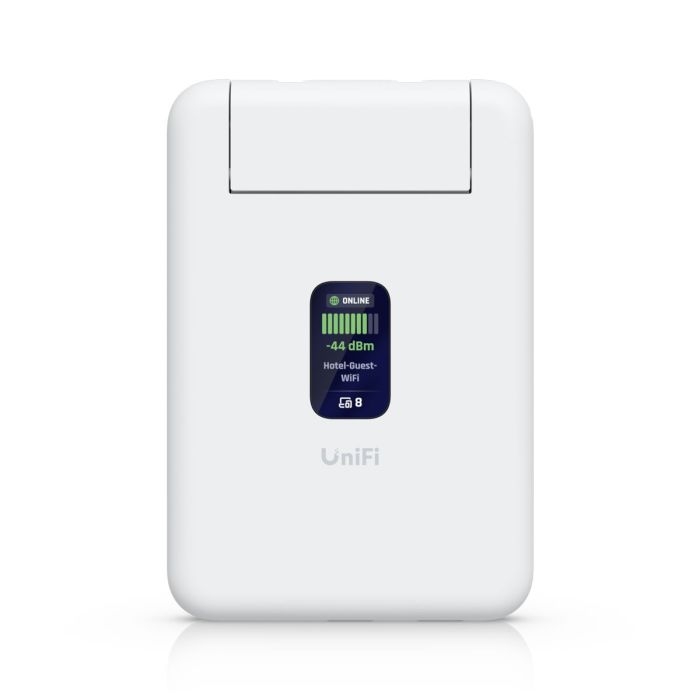
Ubiquiti UniFi Travel Router -UTR
Ubiquiti UniFi Travel Router (UTR) – compact WiFi 5 travel router and access point with dual-band 2.4/5 GHz, WAN via WiFi or Ethernet, USB-C power, VPN client (OpenVPN/WireGuard), firewall, and UniFi Network app management.
Accessories and add-ons:
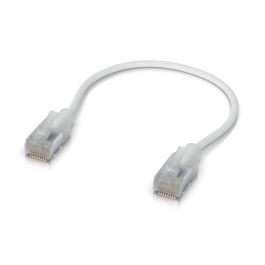
Ubiquiti UniFi Travel Router (UTR)
Ubiquiti UniFi Travel Router (UTR) is a compact wireless router designed for temporary network access while traveling, in hotels, mobile offices, or at home. The device allows quick creation of a local Wi-Fi network using an existing internet connection, such as a hotel network or a wired Ethernet connection. It is designed as a portable networking device and does not require permanent installation.
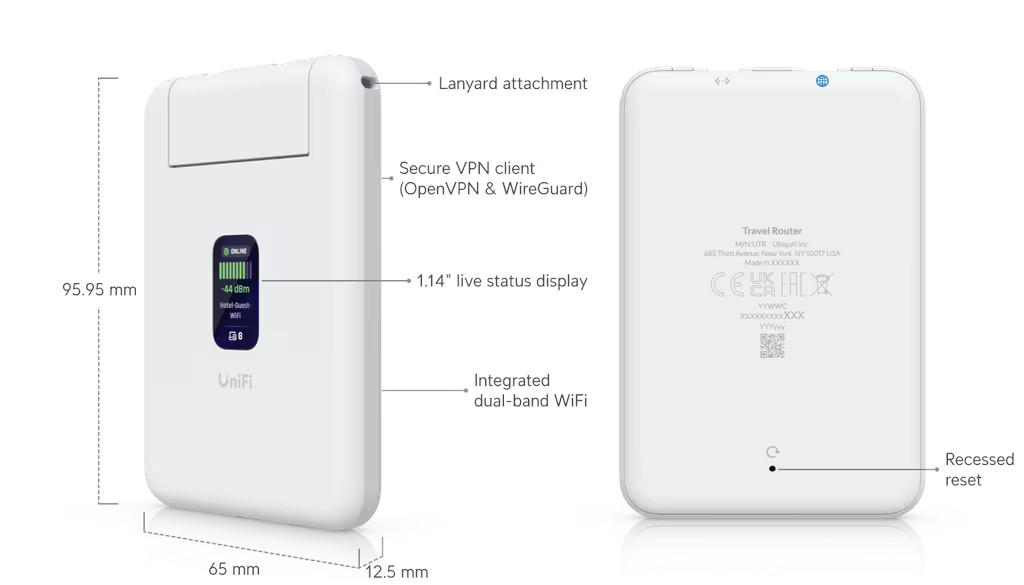
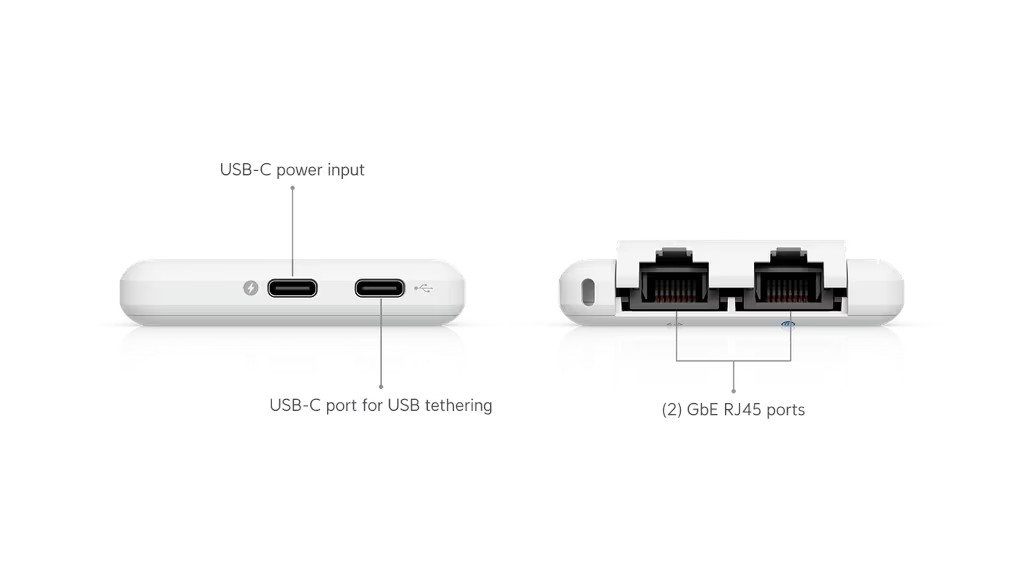
The UTR functions as both a router and a wireless access point, allowing multiple end devices such as laptops, smartphones, and tablets to connect to a single local network. Configuration and management are performed through the UniFi Network application. The device is powered via USB-C, enabling operation with wall adapters, power banks, or USB ports. Management can be performed over Ethernet or Bluetooth. The enclosure includes a 1.14" status display and a factory reset button.
The Ubiquiti UniFi Travel Router can use a WAN connection provided via WiFi or Ethernet. It supports routing functions, including port forwarding and a firewall. The UTR can also operate as a VPN client using OpenVPN or WireGuard.
Main features
- Portable router for mobile use
- WAN connectivity via WiFi or Ethernet
- VPN client support: OpenVPN and WireGuard
- Firewall and port forwarding
- USB-C power input
- Integrated status display
Technical specifications
| Model | UTR |
| WAN | WiFi: Yes; Ethernet: Yes |
| Uplink | 2 × GbE RJ45 |
| VPN client | OpenVPN: Yes; WireGuard: Yes |
| Port forwarding | Yes |
| Firewall | Yes |
| WiFi standard | WiFi 5 |
| Maximum power consumption | 5 W |
| Power method | USB-C |
| Power supply | USB-C, 5 V / 2 A (adapter not included) |
| Display | 1.14" status display |
| Buttons | 1 × factory reset |
| NDAA compliant | Yes |
| Certifications | CE, FCC, IC |
Supported data rates
| 802.11ac (WiFi 5) | 6.5 Mbps to 866.7 Mbps (MCS0–MCS9, NSS1/2, VHT 20/40/80) |
| 802.11n | 6.5 Mbps to 300 Mbps (MCS0–MCS15, HT 20/40) |
| 802.11g | 6, 9, 12, 18, 24, 36, 48, 54 Mbps |
| 802.11b | 1, 2, 5.5, 11 Mbps |
Antennas and wireless connectivity
| Antenna type | 2 × embedded WiFi antennas |
| Maximum transmit power | 2.4 GHz: 13 dBm; 5 GHz: 13 dBm |
| WiFi MIMO | 2 × 2 |
Management
| Management methods | Ethernet; Bluetooth |
Physical specifications
| Dimensions | 95.95 × 65 × 12.5 mm |
| Weight | 89 g |
| Enclosure material | Polycarbonate |
Environmental conditions
| Operating temperature | -10 to 40 °C (-40 to 104 °F) |
| Operating humidity | 5 to 95% (non-condensing) |
UniFi Travel Router – Frequently Asked Questions (FAQ)
The UniFi Travel Router connects to any captive portal and transforms hotel, office, or public WiFi into a secure, home-like UniFi network.
It includes built-in Teleport for private access and Auto Link to automatically keep wireless cameras and devices online.
To connect the UniFi Travel Router to a guest network, open the UniFi Mobile App and select a nearby wireless network.
If the network uses a captive portal, it will automatically redirect to your mobile device for login.
Note: WPA Enterprise and Passpoint networks are not supported.
Once the UniFi Travel Router is set up, open the UniFi Mobile App.
A list of available consoles will appear—select a UniFi Gateway, then tap to connect using Teleport.
The UniFi Travel Router supports both 2.4 GHz and 5 GHz WiFi bands.
Yes. Even if the UniFi Travel Router is offline, you can revoke its Teleport access at any time from the Clients tab in UniFi Network via unifi.ui.com.
Once access is revoked, the device will no longer be able to connect back to your network.
The UniFi Travel Router is locked and password-protected. An unauthorized user cannot access or manage the device without your credentials.
The only way for someone else to use the device is to perform a factory reset, which removes all existing settings and disconnects it entirely from your UniFi environment.
No. Without your credentials, the device cannot be used to access your UniFi Network or Teleport connection.
Removing the device from UniFi Network fully prevents any future access.
| Manufacturer SKU | UTR |
|---|---|
| Manufacturer | Ubiquiti |
| PCS in collective packaging | 60 |
| GPSR contact | Ubiquiti International Holding B.V. Ekkersrijt 3102, 5692 CC Son en Breugel support@ui.com |


Please complete your information below to login.
Sign In
Create New Account